



by default, result displays for multi-input measurements show the results for all inputs. select the icon to show each input in a separate tab of the result display. the all tab shows each input result in a separate subwindow. select a tab to display a single input result. you can switch off or configure individual traces in a multi-input result display. open the trace configuration dialog. assign the trace to an input. set the state of the trace to off. the result display shows only one trace for a single input.
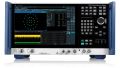
fswx 信号与频谱分析仪
产品信息